
Key Takeaways (TL;DR)
- Choose a kitchen drawing specialist with experience managing multi-unit projects, repeated layouts, and unit-specific variations.
- Assess dimensional accuracy, shop drawing completeness, revision tracking, and production requirements.
- Confirm software compatibility, file formats, outputs, availability, and the drafting company’s deadlines to see whether they’re a good fit.
- Assess whether the benefits of drafting in-house outweigh the costs vs. outsourcing.
- Evaluate a sample and set up a systematic way to get the drawing approved by everyone that will be involved in the project.
When designing kitchens for a multi-unit project, consider more than layouts or the specialist’s service fees. Manufacturers of cabinets and builders of residential or multi-family units also require layouts, project-specific designs, and the flexibility to adjust layouts and designs.
The kitchen drawing specialist you choose must have the drafting expertise and an organized way to support the design and manufacturing teams, reduce revisions, and eliminate time lost. Evaluate the drawing expertise of the potential drafting partners. Examine how they manage the design and production schedule, and ensure their systems and communication processes align with your standards.
What is a Kitchen Drawing Specialist and What Do They Do?
A kitchen drawing specialist prepares kitchen drawings from a designer’s specifications and the construction plans. They help translate design information into accurate documentation for cabinet production, countertop fabrication, and installation planning.
They provide services including:
- Cabinet plans using provided dimensions and the building’s floor plans.
- 2D plans and 3D renderings for design visualization and project coordination
- Shop cabinet plans including cabinet dimensions, elevations, fillers, and cabinet and panel detail plans.
- Shop countertop plans including specified materials and fabrication details.
- Cabinets and countertops estimated for quantity planning and pricing.
- Making kitchen plan updates for change orders or client change order specifications.
For multi-unit projects, a kitchen drawing specialist also helps maintain consistency across repeated layouts while documenting differences between unit types. Clear deliverables, organized revisions, and defined approval responsibilities help keep design documentation aligned with production requirements
7 Factors to Evaluate Before Choosing a Kitchen Drawing Specialist
1. Experience with Multi-Unit Cabinet Projects
The demand on kitchen drawings for multi-unit projects goes well beyond layout design. The kitchen drawing specialist needs the ability to handle a large quantity of design layouts. A good drawing system will help manage repeated design layouts as well as unique design elements, including design elements from different phases of construction.
You will need to look at designs done for different units types, and how the designs are drawn differently from unit type to unit type, across the units within a project. Ask about how they organize and distinguish drawings from project to project, building to building, and phase to phase.
Experience with repetitive layouts is particularly valuable when a development contains several standard kitchen configurations. A structured approach helps maintain consistency while allowing necessary differences between individual units.
2. Accuracy of Dimensions and Cabinet Layouts
Accurate dimensions are essential for coordinating cabinet layouts with architectural plans, appliance specifications, and available site information. Errors in cabinet widths, clearances, fillers, or appliance placement can result in additional revisions and coordination problems.
Evaluate whether the kitchen drawing specialist follows a structured checking process and identifies missing or conflicting information before finalizing drawings. Ask how dimensions are checked against supplied plans and how discrepancies are communicated to the responsible project team.
Also clarify the limits of the verification process. A kitchen drawing specialist can work from the information provided, but site measurements and final field verification may remain the responsibility of the builder, installer, or another designated professional.
3. Quality and Completeness of Shop Drawings
A kitchen layout communicates the overall arrangement, while shop drawings provide more detailed information for production and installation planning. Depending on the agreed scope, these documents may include cabinet dimensions, elevations, fillers, panels, appliance spaces, and other relevant construction details.
Review sample multi-unit shop drawings to assess clarity, consistency, and completeness. Check whether the documentation follows your team’s preferred conventions and includes the information required for the next stage of work.
Do not evaluate a kitchen drawing specialist solely on the appearance of 3D renderings. Visual presentations can communicate design intent, but technical drawings must also meet the documentation requirements of the cabinet manufacturer or project team.
For countertop work, confirm whether the specialist can provide the agreed details for cutouts, edge profiles, and specified surface materials.
4. Ability to Manage Recurring Layouts and Unit Variations
Standardized layouts can improve efficiency, but multi-unit developments often have some unit types that vary. Variations occur when a kitchen or bathroom is rotated, appliance arrangements are different, or different floor plan types are used. A variation or specialty documenter is needed to identify these differences.
To gain more understanding, ask the project team how they identify what constitutes a unit type. How do they handle variations in unit layouts that may not occur in other unit types? Ask how they track updates to unit layouts to avoid using old versions. File and drawing naming standards, revision identifiers, and drawing registers can help a project team identify the latest version of a document.
It is also important to understand how the specialist handles changes that affect several units. A modification to a standard cabinet configuration may need to be reflected across multiple drawing sets, while a change limited to one apartment should not unintentionally alter other layouts.
5. Software and Technical Capabilities
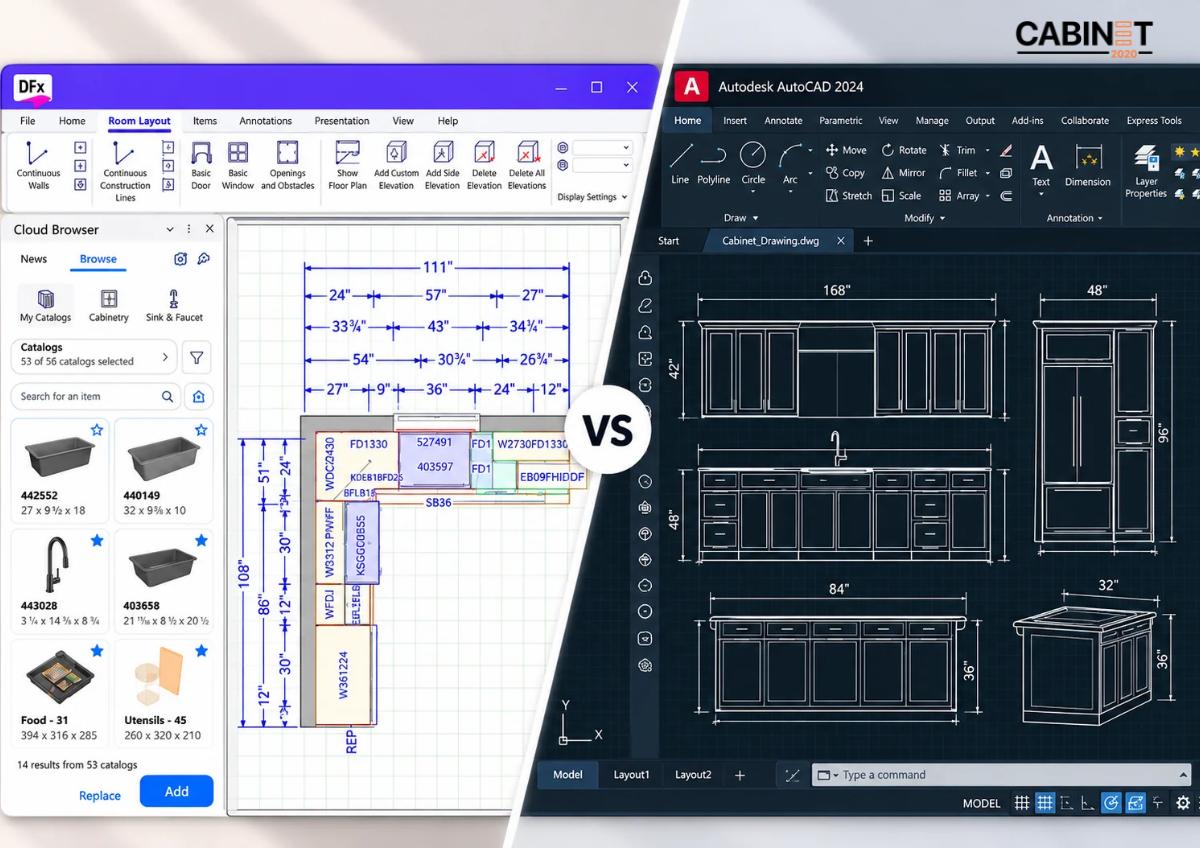
Choose a specialist whose software experience aligns with your existing design and documentation workflow. Depending on your requirements, this may include 2020 Design software, 2D cabinet layouts, 3D rendering, cabinet shop drawings, and software-based cabinet quoting.
Manufacturers already using 2020 Design may benefit from a drafting partner familiar with preparing kitchen layouts and supporting quote estimation within that workflow. However, software familiarity alone does not establish drawing quality or manufacturing readiness.
Confirm the exact deliverables, file formats, compatibility requirements, and level of technical detail before assigning work. If your process includes multi-unit cabinet and countertop estimation, clarify whether quantities, specifications, and related documentation are included in the agreed scope.
6. Turnaround Time and Production Capacity
A kitchen drawing specialist is defined as one who completes several drawing sets on time and in one instance of drawing set submission, which is not what most project teams should be aiming to do. When reviewing a specialty documenter’s ability, you should ask about team capacity and how they manage a project’s timeline, as well as revision deadlines and how they manage concurrent deadlines.
For multi-building phased construction, ensure drawing submission can happen by building or unit. This way, the project team can line up documentation with the broader project schedule.
Assess project documenters on expected volume as opposed to generalized promises of prompt submission.
7. Communication and Revision Management
Multi-unit projects involve input from architects, builders, cabinet manufacturers, developers, and project managers. Without a clear communication process, approved changes can be missed or applied inconsistently.
Before starting, establish how the specialist will receive markups, record revisions, identify drawing versions, and communicate unresolved questions. Agree on review responsibilities, approval stages, and the process for distributing updated documents.
A practical revision process should make it clear what changed, which units are affected, and whether the revised drawings have been reviewed. This helps prevent different stakeholders from working from conflicting versions of the same layout.
How to Assess a Kitchen Drawing Specialist’s Drawing Workflow
There is great value in a workflow to define expectations and responsibilities for both you and your specialist during the life of a drawing project. You can ask each specialist to detail how they approach the following activities for you to consider how well they fit your workflow.
- Review Project Inputs: Consider sharing the drawing inputs, including architectural plans, dimensions, appliance specs, cabinet requirements, and other project details.
- First Layouts: Ask each specialist to create layouts based on your project inputs and document for you what information is missing.
- Revisions: Once you have the first layouts, ask your specialists to detail how they track and manage your comments on each revision.
- Final Deliverables: Finally, ask each specialist to prepare for you their agreed layouts, shop drawings, renderings, and estimation documents.
- Drawing Handoff: Ask the specialists to provide you with, for your review, how they intend to hand over final files, how they track approval, and how they use drawing naming and numbering.
When assessing the specialist drawing work, I think the drawing package needs to be evaluated on clarity, drawing record, and whether the deliverables agreed upon have been achieved.
This review provides a more useful assessment than relying on a portfolio image alone. It also helps both parties identify documentation standards before the full project begins.
For manufacturers and builders managing multi-unit cabinet projects, outsourcing can add additional capacity that can complement an existing team rather than replace it. The decision should be based on actual workload, technical requirements, and the ability to maintain consistent drawing quality.
Common Mistakes to Avoid When Choosing a Kitchen Drawing Specialist
- Avoid choosing a kitchen drawing specialist based on price alone, as incomplete drawings and repeated revisions can increase overall project costs.
- Review technical shop drawings, not just 3D renderings, to assess the quality and completeness of the documentation.
- Check their multi-unit project experience to ensure they can manage repeated layouts, unit variations, and large drawing packages.
- Establish a clear revision process to prevent inconsistencies between approved layouts and final drawings.
- Define deliverables, drawing formats, documentation requirements, and approval responsibilities before work begins.
- Confirm that essential project information, including dimensions, appliance specifications, and cabinet requirements, is available or has a clear process for resolution.
How Cabinet2020 Supports Multi-Unit Projects
Cabinet2020 designs kitchen layouts and prepares cabinet documents for the manufacturers, builders, dealers, remodeling contractors, and multifamily developers across the USA and Canada. We support drawing requirements for various project sizes, including single kitchens, various unit types, and large residential developments.
Our team supports projects with 2D cabinet layouts, 2020 Design layouts, 3D renderings, multi-unit cabinet shop drawings, countertop shop drawings, and cabinet and countertop estimation. Each service is tailored to the project scope and available specifications.
We focus on consistent documentation, organized revisions, and clear communication to help streamline coordination across multiple units. Explore our multi-unit cabinet shop drawing services to learn more about our support for larger projects.
Final Thoughts
When evaluating potential kitchen drawing services, think about accuracy and technical details, quality and management of revisions, software, and turnaround. Find someone who is capable of working with repetitive layouts while retaining some variation within standards across multiple units.
Reviewing sample work is essential, as is gaining a clear understanding of the deliverables and the workflow. The right drawing services provider will help streamline the design process by enabling better information exchange, managing design changes, and allowing teams to focus their efforts on design coordination.
FAQs
What should you look for in a kitchen drawing specialist?
Look for multi-unit project experience, accurate dimensions, complete technical drawings, effective revision management, relevant software capabilities, and the capacity to meet agreed deadlines.
Why are kitchen cabinet drawings important for multi-unit projects?
Kitchen cabinet drawings communicate layouts, dimensions, and relevant construction details. Consistent documentation helps coordinate design decisions and cabinet production requirements across different units.
Can a kitchen drawing specialist handle multiple floor plans?
Yes, provided the specialist has the required capacity and a structured process for managing standard layouts, mirrored plans, unit-specific variations, and revisions.
What drawings are required for multi-unit cabinet projects?
Requirements vary by project. Common deliverables include 2D cabinet layouts, elevations, cabinet shop drawings, and countertop shop drawings. 3D renderings and cabinet or countertop estimates may also be needed.